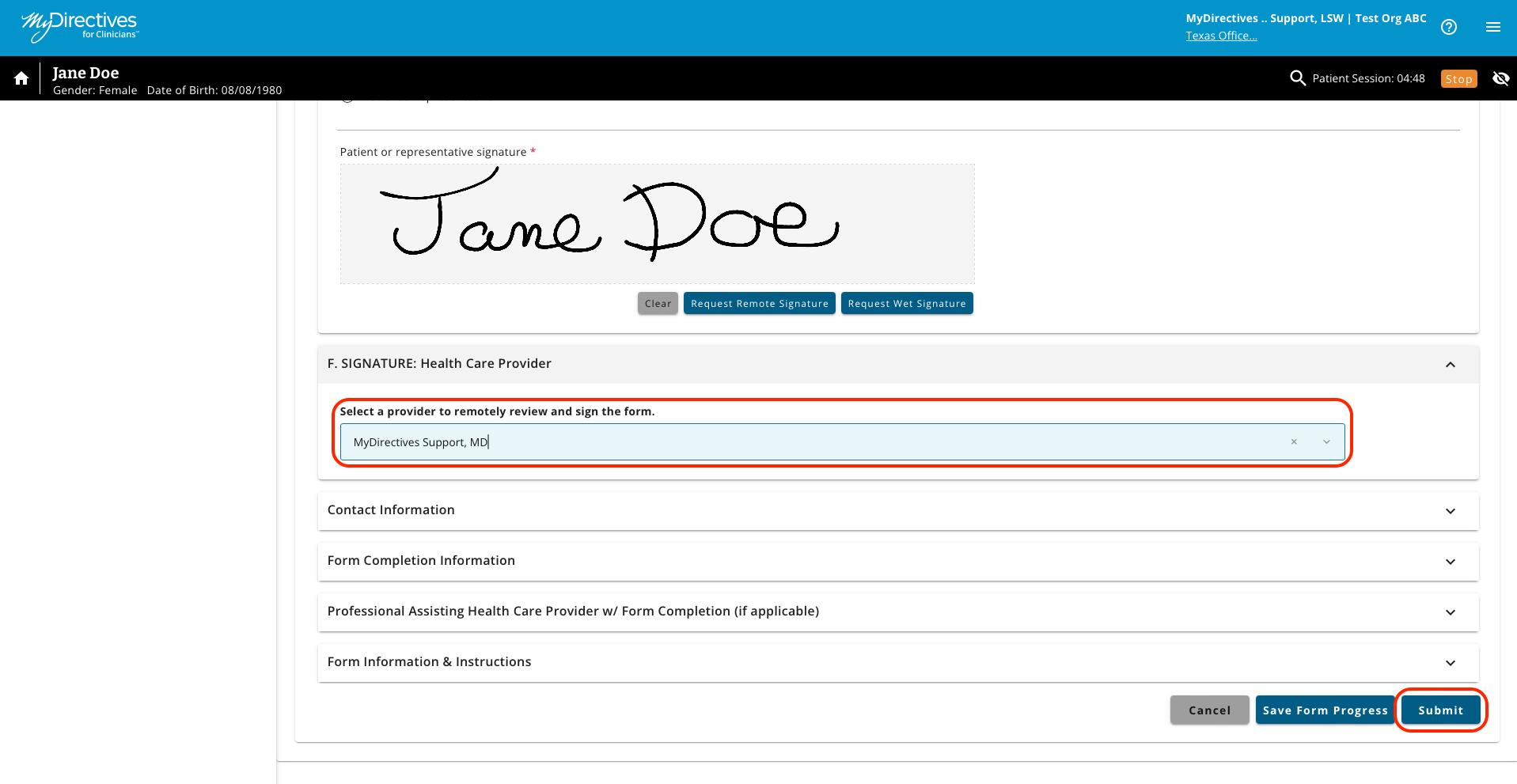
When a document has been created for a patient and is ready for a provider signature, you can send a remote signature request by selecting a provider from the dropdown list. The provider will receive an email notification of this request.
To request a provider signature, scroll down to the health care provider Signature section of the document and select a provider from the dropdown menu. Once you have selected your provider, scroll to the bottom of the page and click the blue Submit button to send your remote signature request.
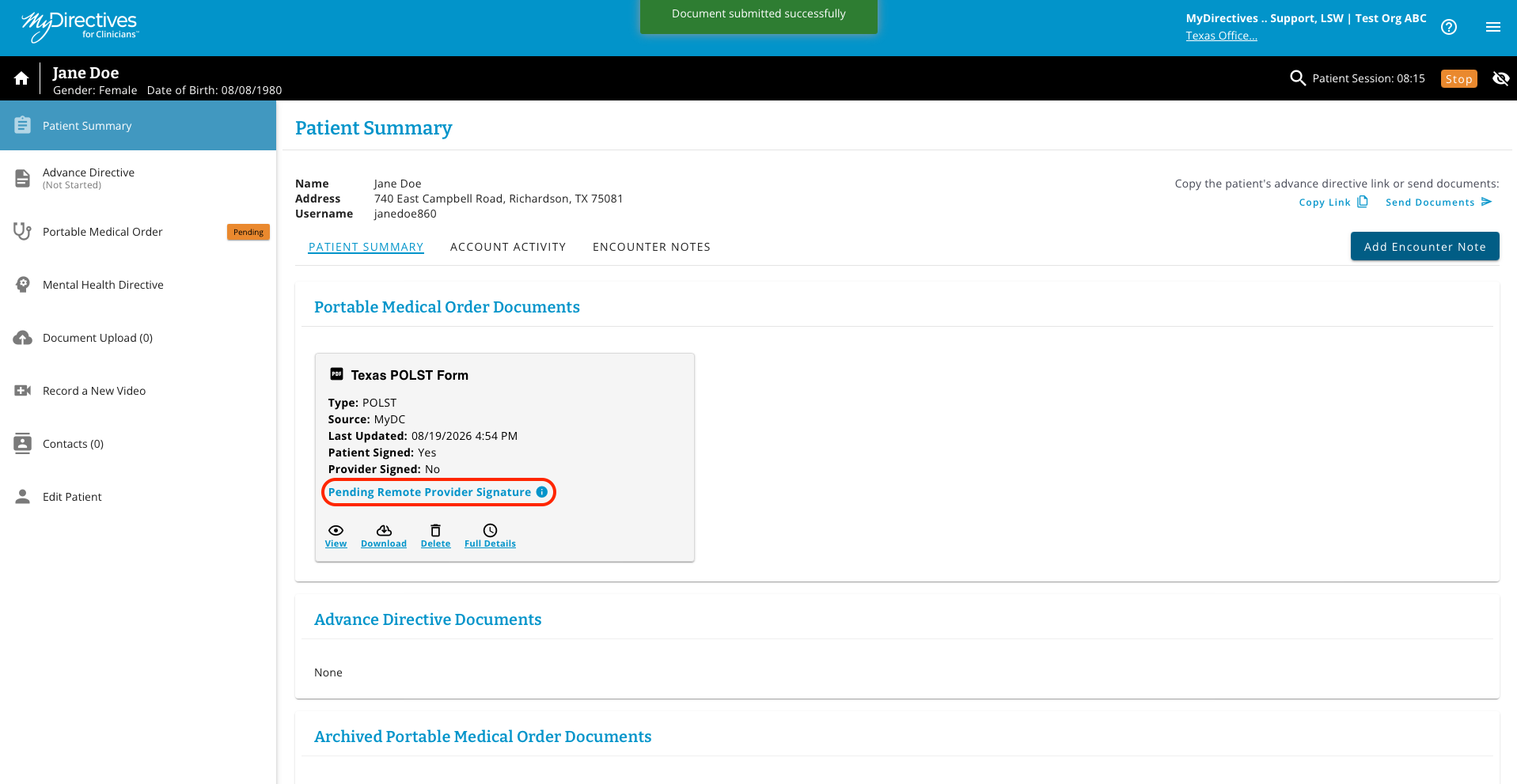
The Patient Summary page will display a green confirmation banner and will show a message for any document that is pending a provider signature.