
If you are a provider who travels to multiple office locations, you may need to update your location in your account to ensure that you are able to create the correct documents. Click on the link with your current office name to select another option.
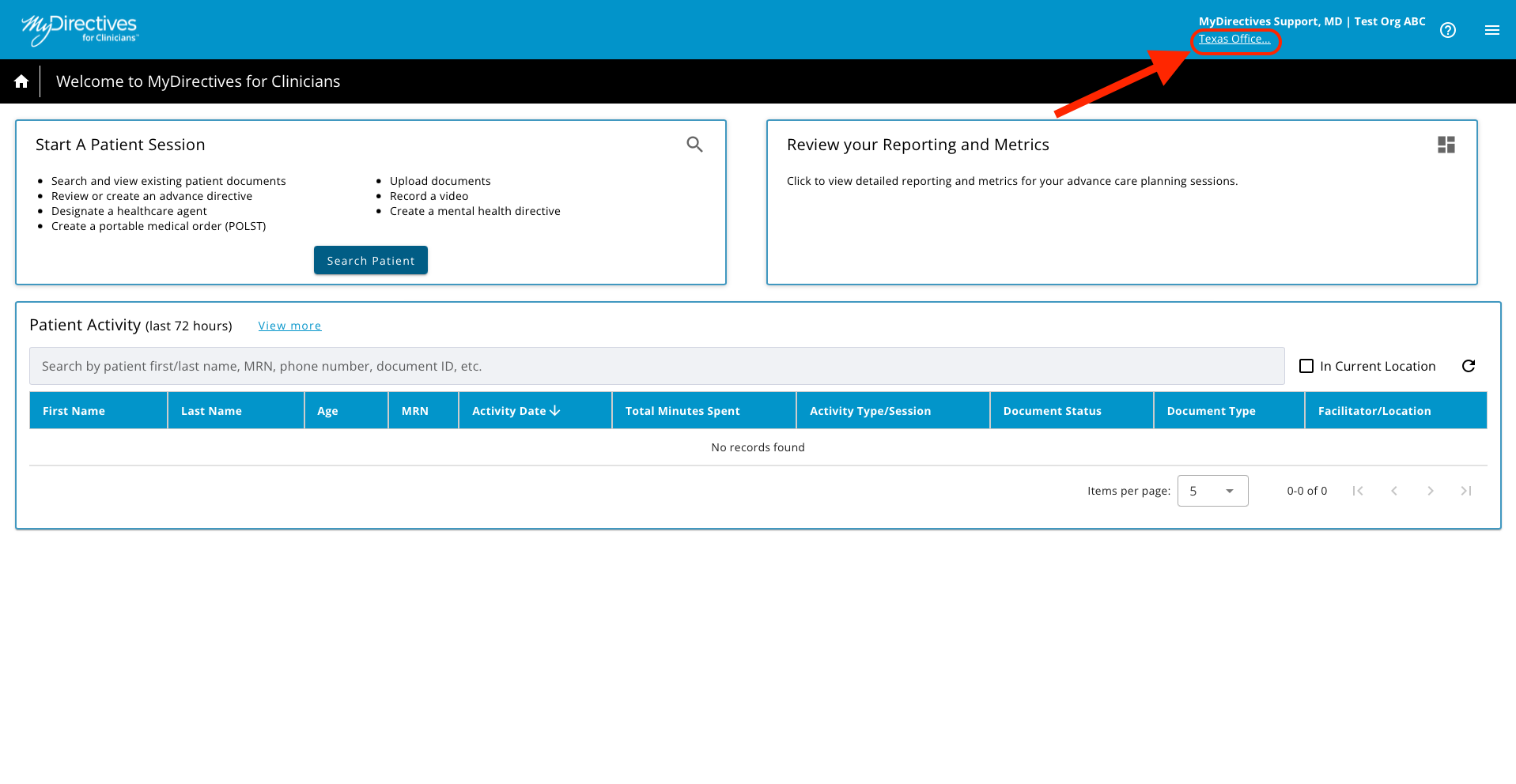
After clicking on either link, a pop up will display with a dropdown list of office location selections. Click the drop-down menu arrow to see the list and select the correct location. Click the OK button to confirm the office location.
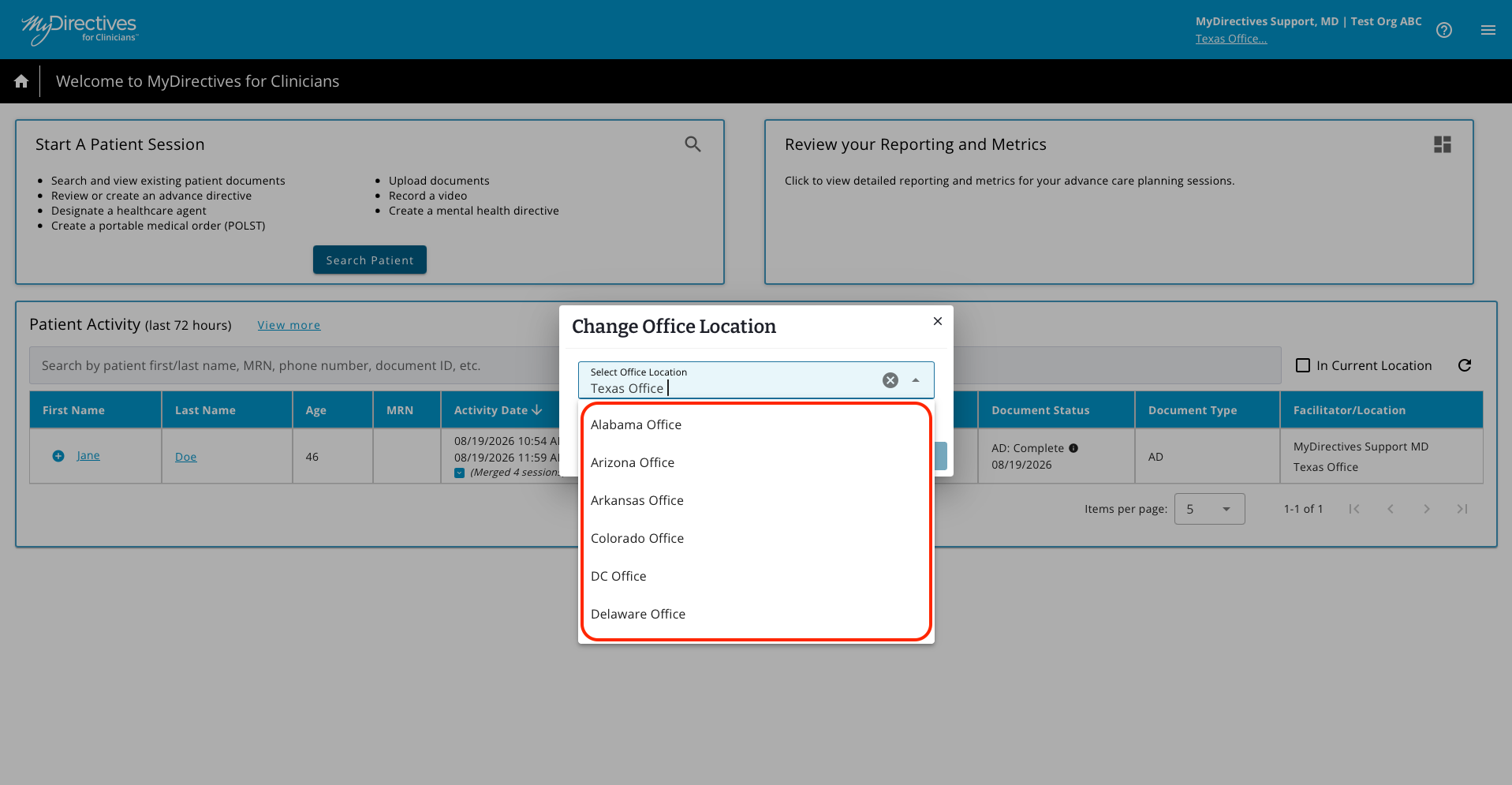
A green success message will appear after you save your new location. Your new location will now appear in the upper right-hand corner of the screen under your name.