
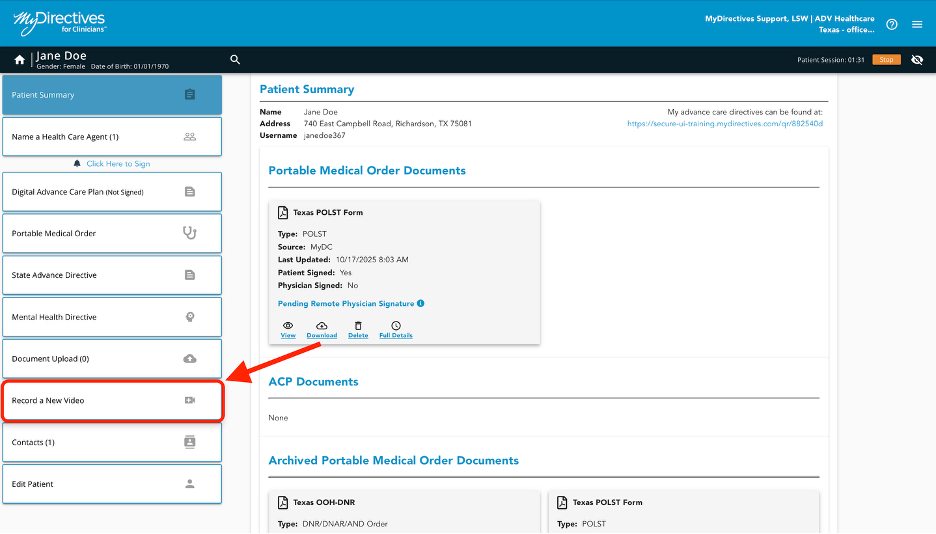
To upload a pre-recorded video to a patient’s account, click Record a New Video in the left-hand navigation menu.
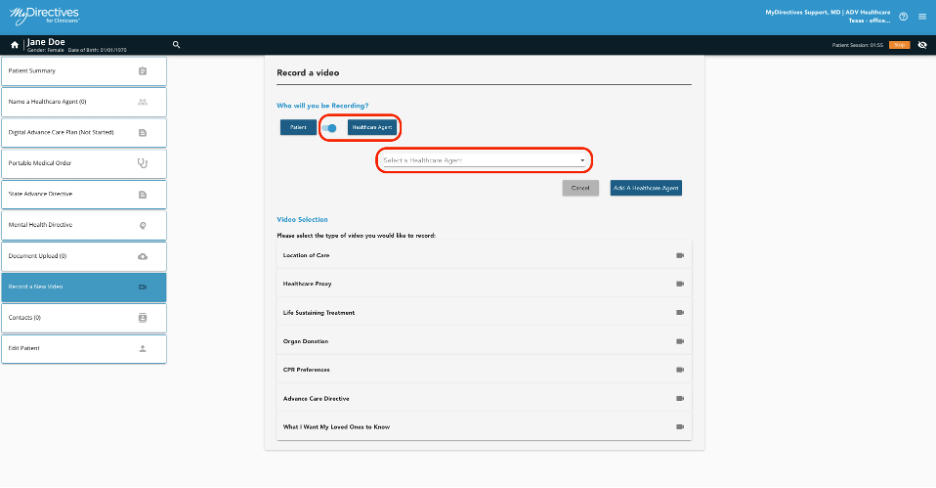
Here, you will be able to select who is speaking in the video by clicking Patient or Health Care Agent.
If Health Care Agent is selected, you will need to choose someone from the dropdown menu or create a new Health Care Agent by clicking the Add a Healthcare Agent button.
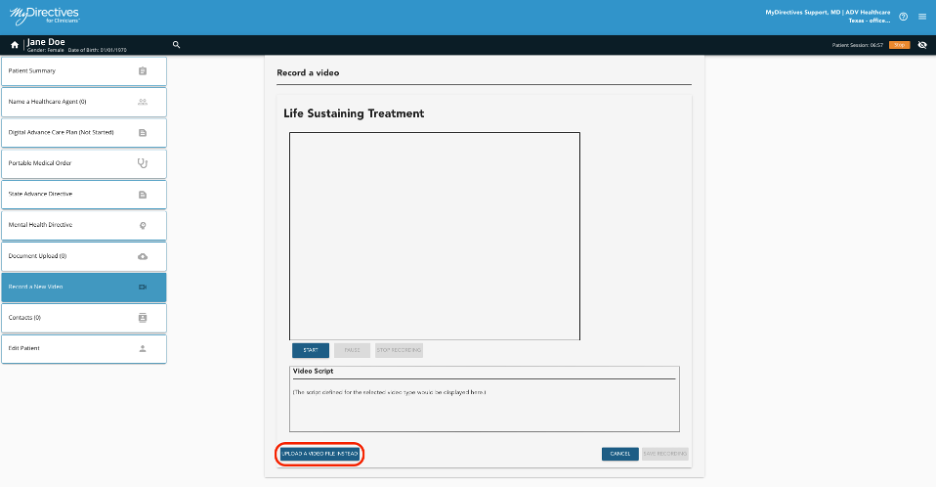
Since your patient has already recorded the video they wish to upload, click the Upload a Video File Instead button.
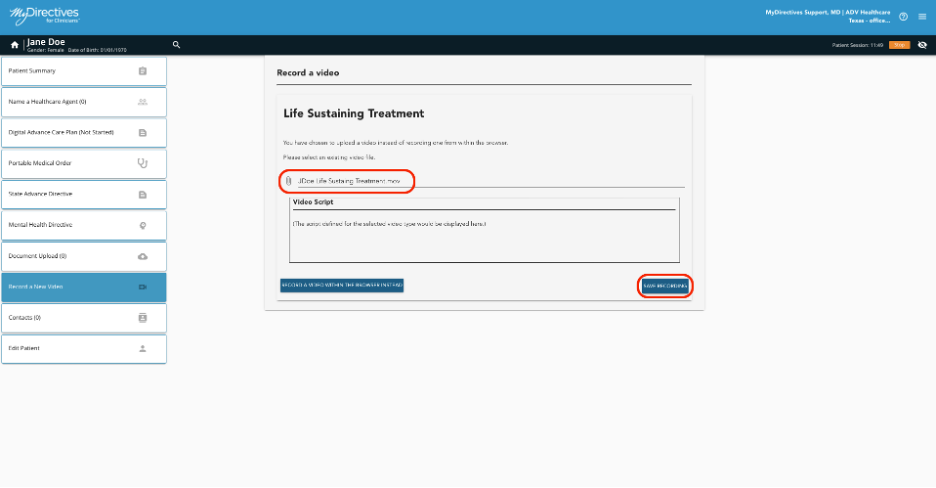
Once all the video files have been uploaded, they will appear in the Patient Summary and Document Upload sections of your patient's account.