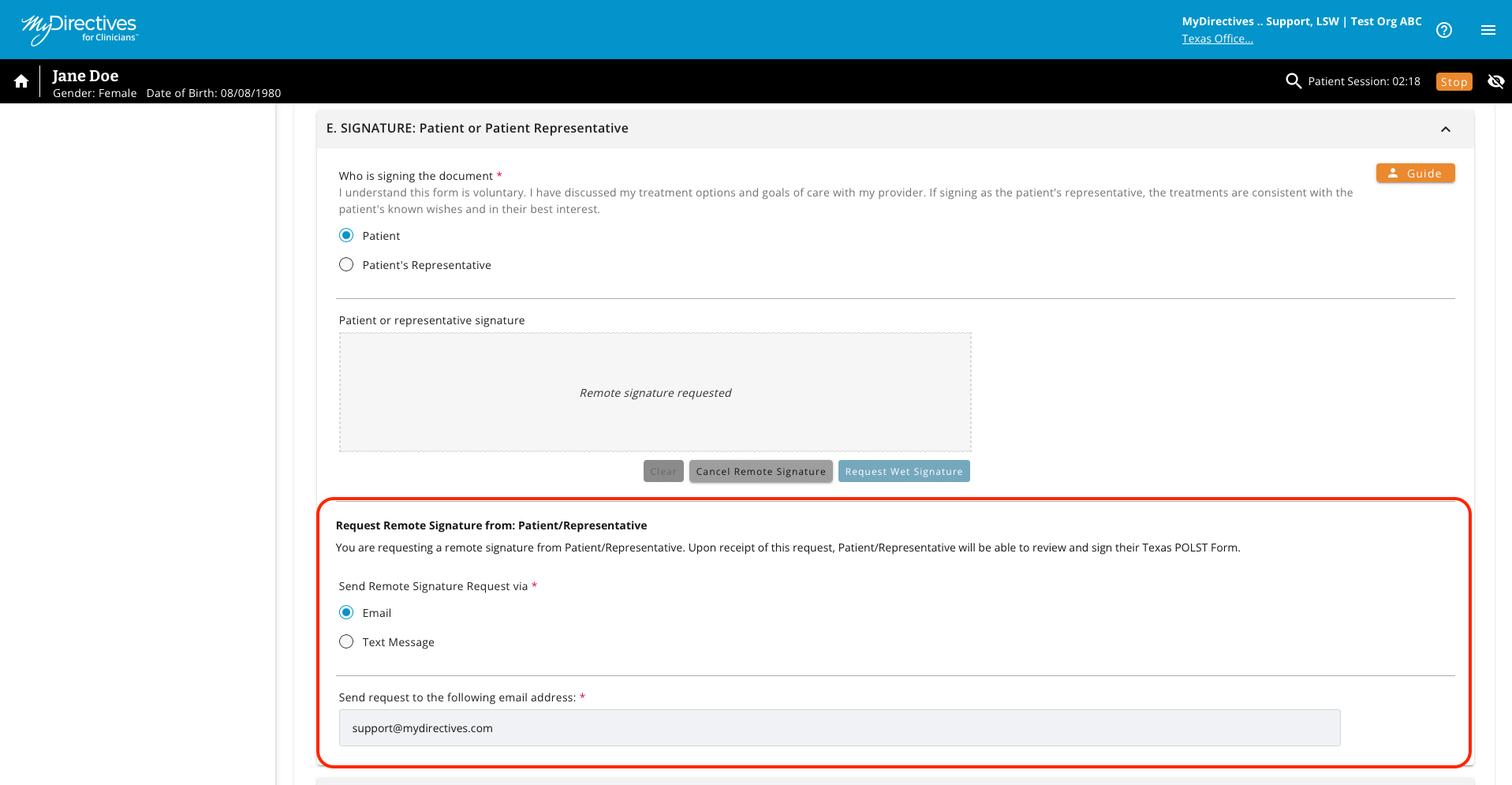
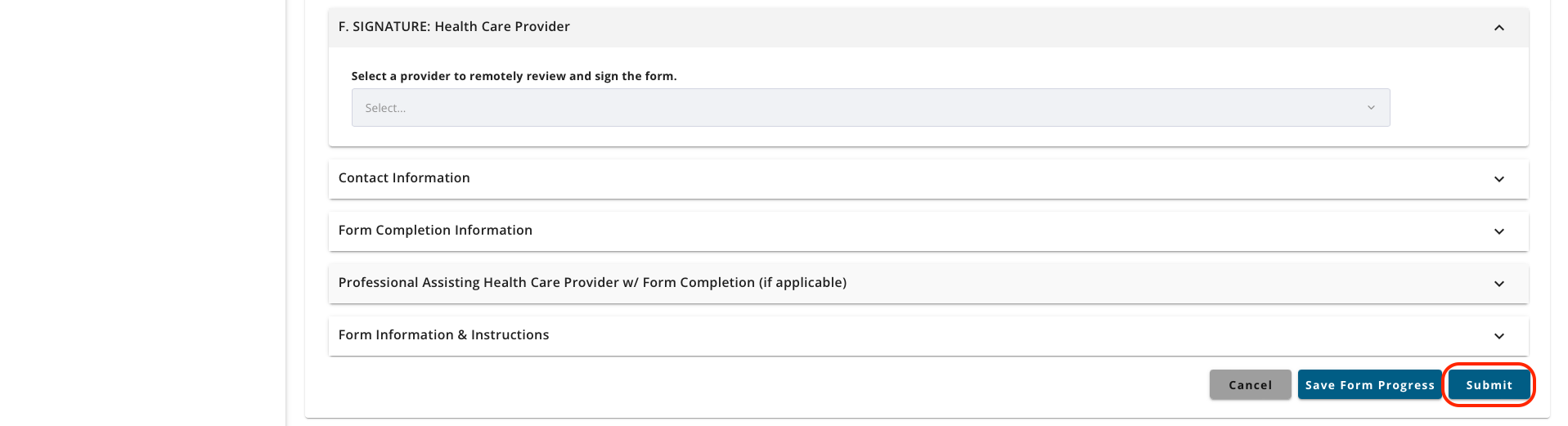
If a patient is not in the office to sign a document on a provider device, you can send a request via email, text, or a copied link to any patient requesting a remote signature.  


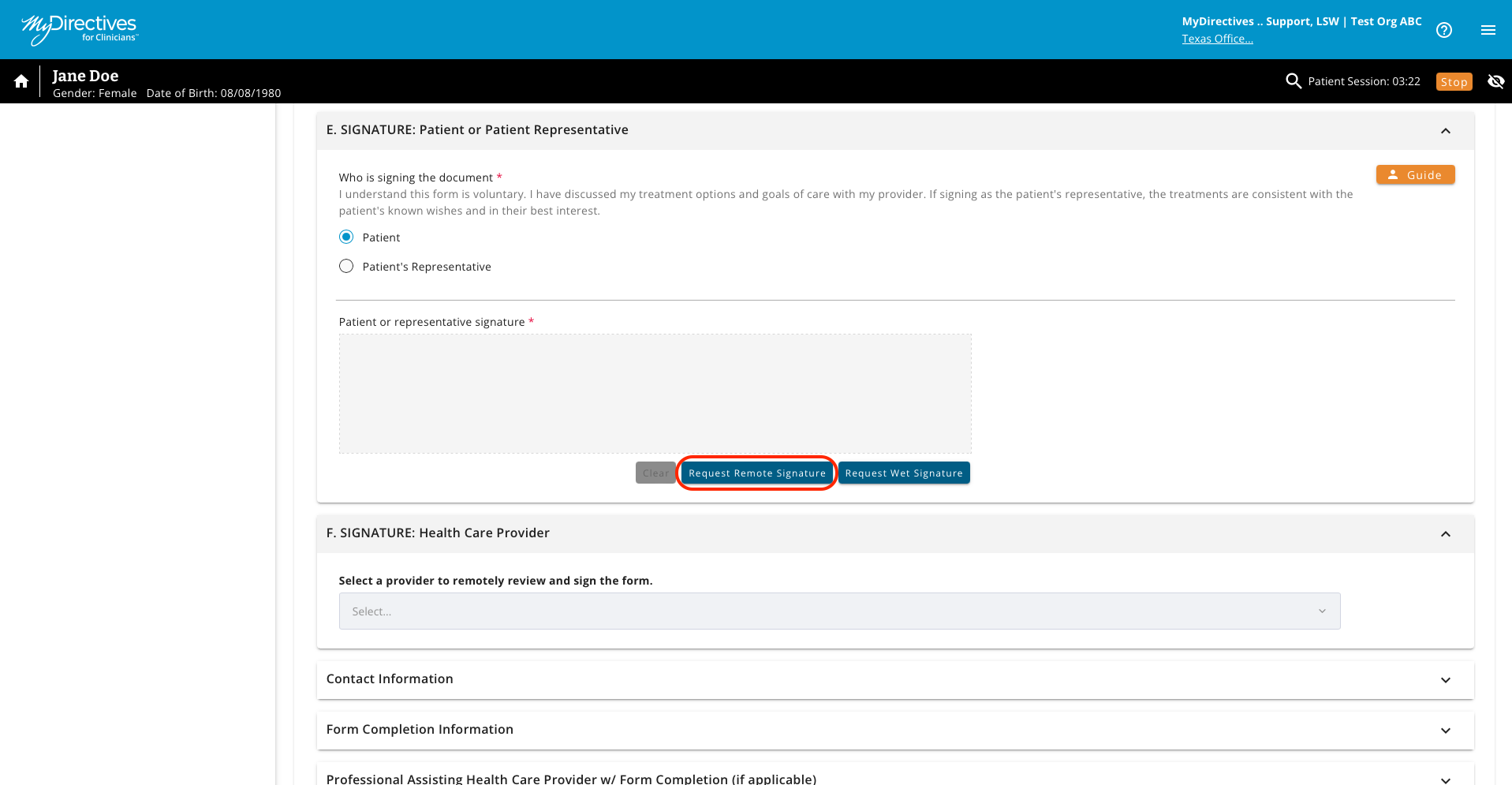
If you have created a document with your patient and need to send a remote signature request, you can send this request by clicking the Request Remote Signature button.   
  

A screenshot of a computer

AI-generated content may be incorrect.


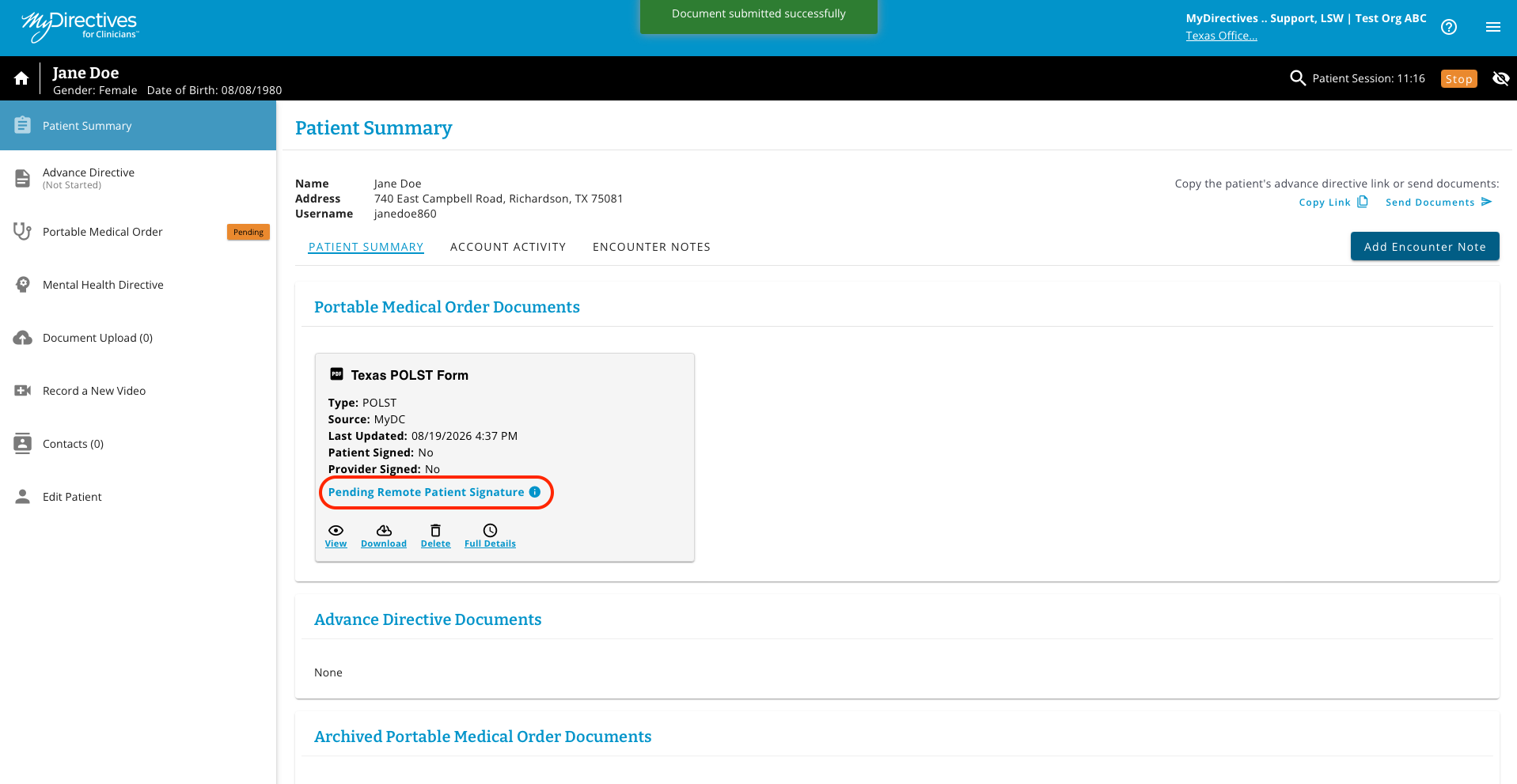
When a remote patient signature request has been issued, the document tile will read, “Pending Patient Remote Signature”.  
A screenshot of a computer

AI-generated content may be incorrect.


In advance directive documents, the provider can select which means of receiving a remote signature request the person prefers, including email, text (phone), or a copied link.  The following example is for a remote signature request for a digital advance care plan.  The provider would select the Request Remote Signature. 

A screenshot of a computer

AI-generated content may be incorrect.


The following choices will display, based on which radio button is selected. Regardless of the selection, the user will enter the appropriate information and then click the Send button to send the request or the Get Link button to copy a direct link to where the person can sign. 


A screenshot of a computer

AI-generated content may be incorrect.


A screenshot of a computer

AI-generated content may be incorrect.